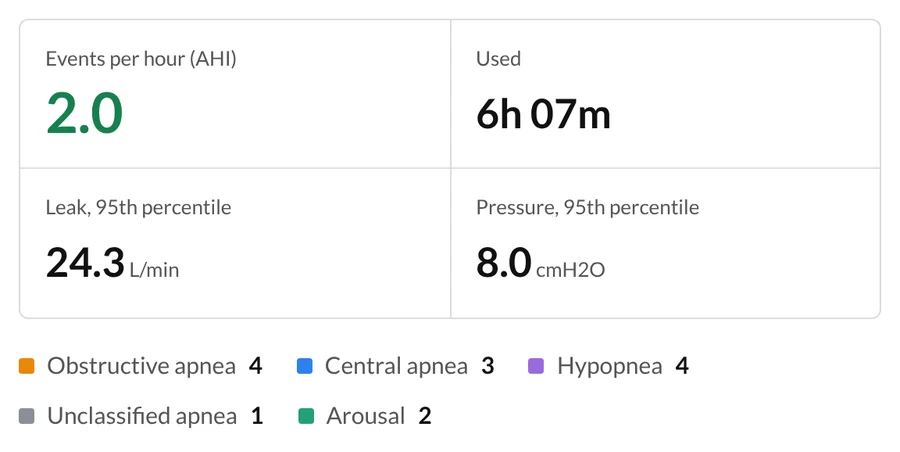
Every number from the night
Events per hour, hours used, leak and pressure, plus how many of each event your machine flagged.
New
Nothing to install. Choose the card, and every night on it is ready to read in seconds.
Confused by your CPAP numbers?
See every breath your CPAP took last night. Your machine's app gives you a score; your SD card holds the whole night, and CPAPGeeks turns it into charts you can actually read.
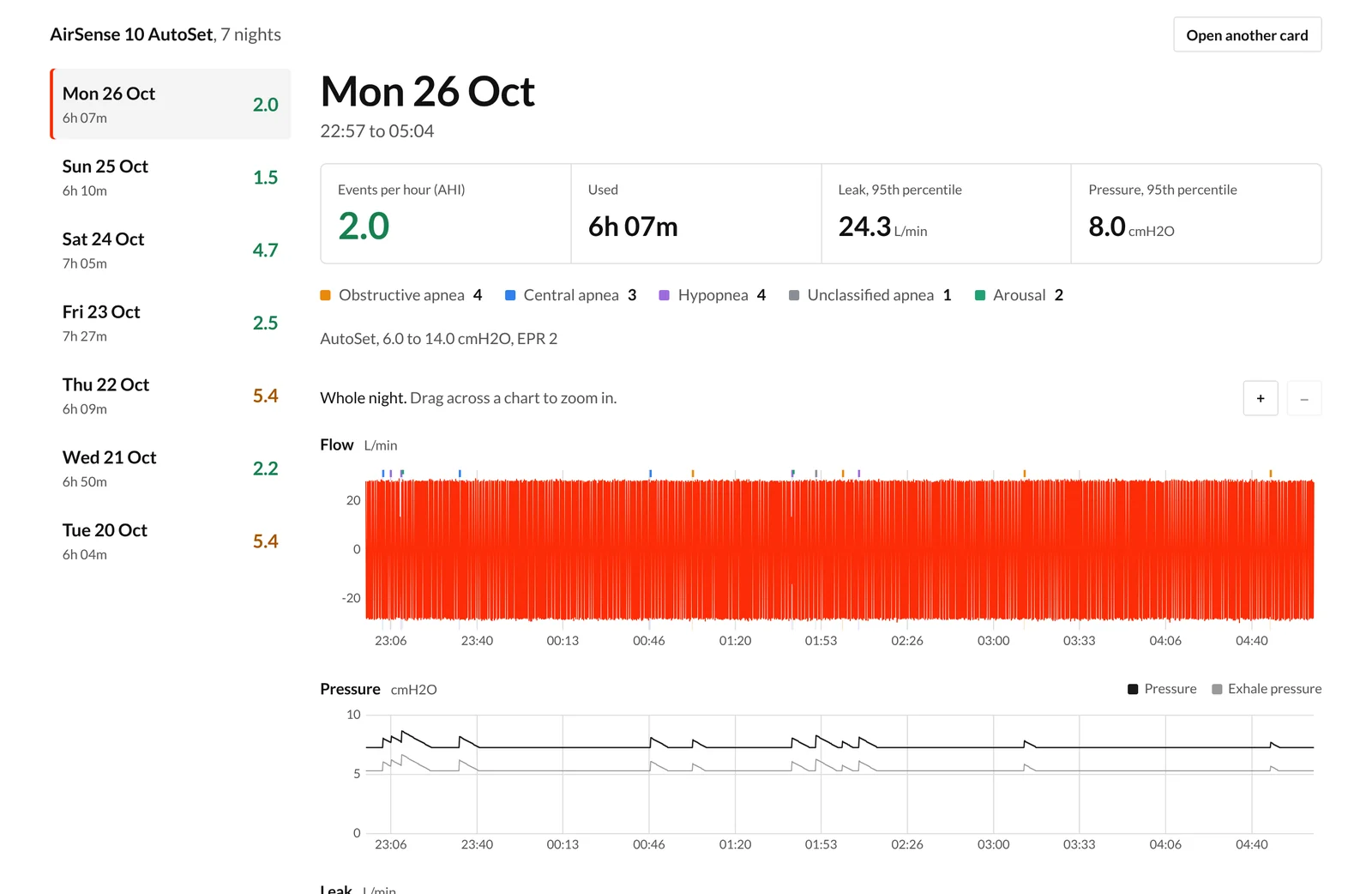
CPAPGeeks reads everything your machine wrote to the card and lays it out night by night. See what happened, when it happened, and how it changes as you adjust your mask or routine.
Events per hour, hours used, leak and pressure, plus how many of each event your machine flagged.
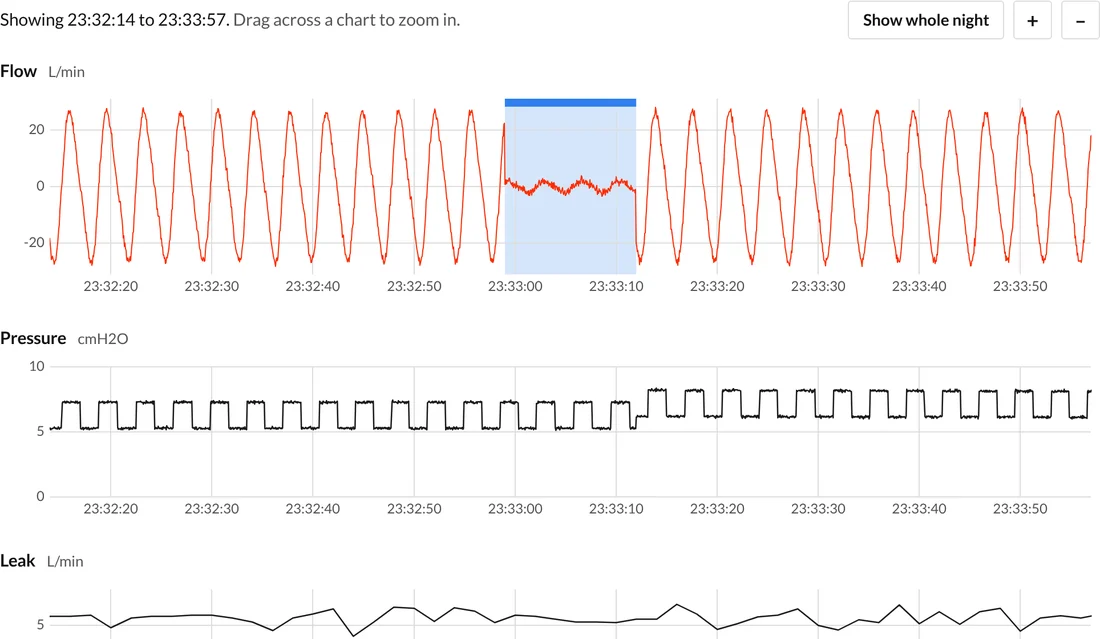
Pick an apnea from the list and the charts jump to it, so you can see the breaths before and after.
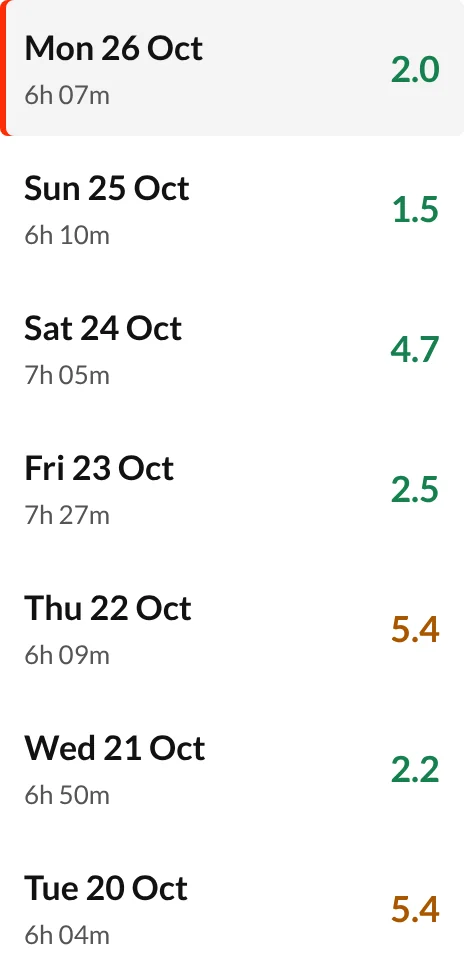
Every night on the card, newest first, with the number that matters most colored at a glance.
It's in a slot on the side of your machine. Put it in your computer with a card reader.
Choose the whole card. We read every night on it, and only add the ones we haven't seen before.
Open any night to see flow, pressure and leaks, or compare the last few weeks side by side.
An AHI of 2 tells you how many events there were. The flow chart shows you each one: the breaths flattening, how long it lasted, and how the machine answered.
Under 5 events per hour is the usual therapy target. Your clinician may set a different one.
One rough night is noise. Three in a row after a new mask is a pattern. Put your nights side by side and watch your events, hours and leaks change as you make changes.
Charts are only useful if you know what you're looking at. CPAPGeeks teaches you, in plain language.
Plain-language guides on AHI, leaks, mask fit, and what each line on your chart means.
Read the articlesA short course that walks through a real night, chart by chart, so you know what to look for.
Coming soonAsk other CPAP users about masks, comfort and sticking with therapy, and share a night for a second opinion.
Coming soon$0 forever
For trying CPAPGeeks with your own card.
Create free accountYour current plan$5.99 a month$59.90 a year
Or $59.90 a year, billed once.That's 4.99 a month.
Start free, upgrade laterPro launches soonPro isn't available to buy yet. Start free now and you can upgrade when it launches.
ResMed AirSense 10 and 11, AirCurve 10 and 11 (including ASV), and the S9 series, plus Löwenstein prisma, React Health / BMC and Sefam S.Box machines (in beta). Philips, Fisher & Paykel and others are coming next. The machines page has the full list.
Take the SD card out of the side of your machine, put it in your computer (most laptops need a small USB card reader), and drag the whole card into CPAPGeeks. Put the card back afterward so the machine keeps recording.
Only you, unless you choose to share a link with your doctor. Your files are encrypted in storage, we never sell data, and you can delete your account and everything in it at any time. The Privacy Policy has the details.
No. CPAPGeeks shows what your machine recorded so you can have a better conversation with your sleep clinician. Talk to them before changing your settings.
Yes. CPAPGeeks works in any modern browser on phones, tablets, and computers, and you can add it to your home screen. Uploading is easiest from a computer with an SD card reader.
No. You can open your SD card and read every night without signing up. Create a free account when you want your nights saved, so they're there next time on any device.